Track topic cluster signups by intent: Miro's UML pages
Miro answers one topic with a guide, a tool page and a template gallery in two folders. How to track topic cluster signups by the intent each page serves.

To track topic cluster signups, tag every URL in the cluster with the intent it serves, then count signups per intent inside each cluster. Miro shows why. It answers the one topic "UML sequence diagram" with three pages, and each page sends the reader through a different door into the product.
We read those three pages on 7 November 2026. To a reader they're one cluster. To a rank tracker or an analytics report grouped by folder, they're three unrelated URLs, and that gap is where a team loses sight of what its content earns.
One topic, three pages, three intents
Someone who searches "what is a sequence diagram" wants to learn. Someone who searches "sequence diagram online" wants to draw one now. Someone who searches "sequence diagram template" wants a head start. Miro built a page for each.
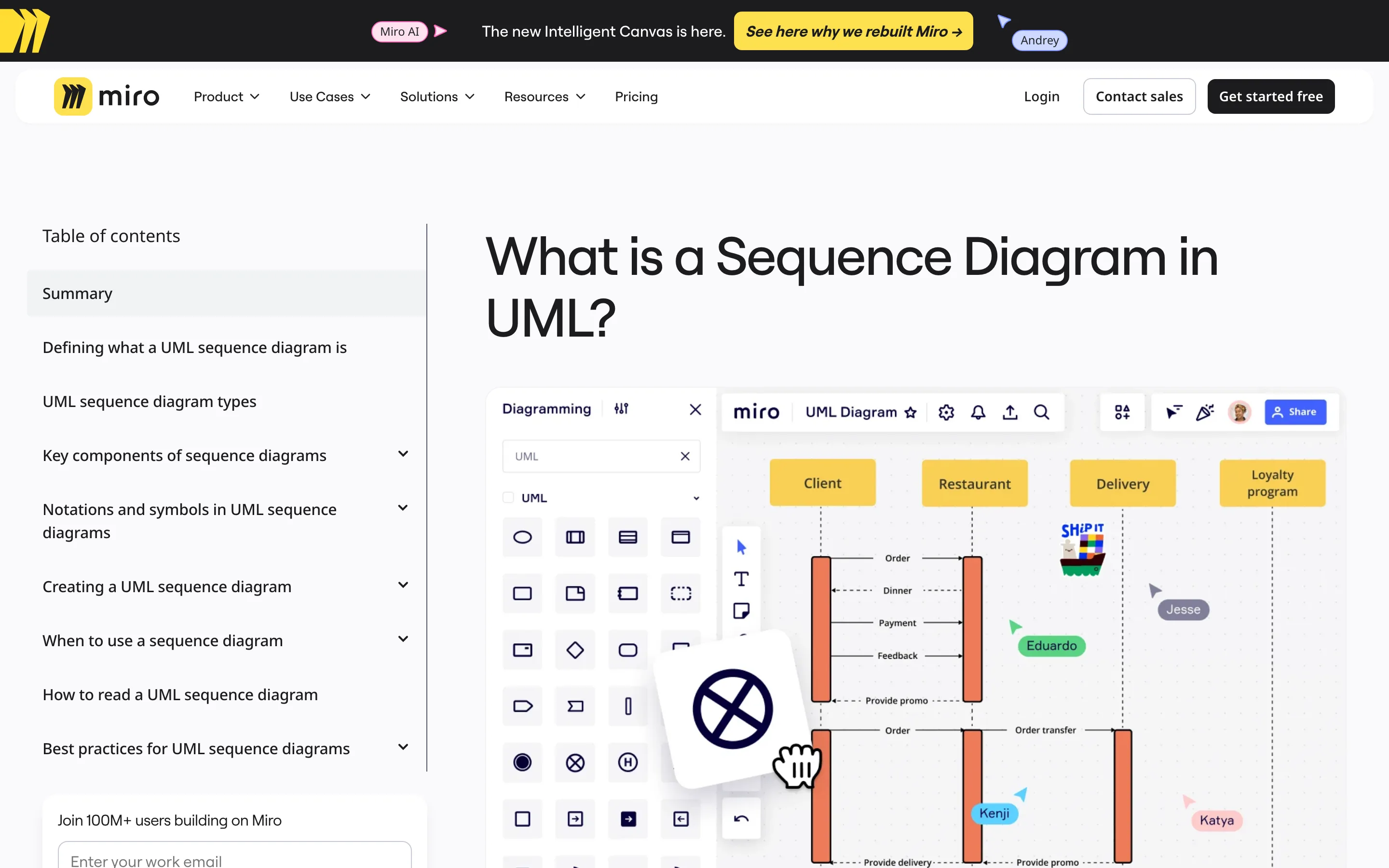
The guide, What is a Sequence Diagram in UML?, is a long explainer with a table of contents: types, components, notation, how to read one, best practices. The sidebar holds a work-email field under "Join 100M+ users building on Miro".
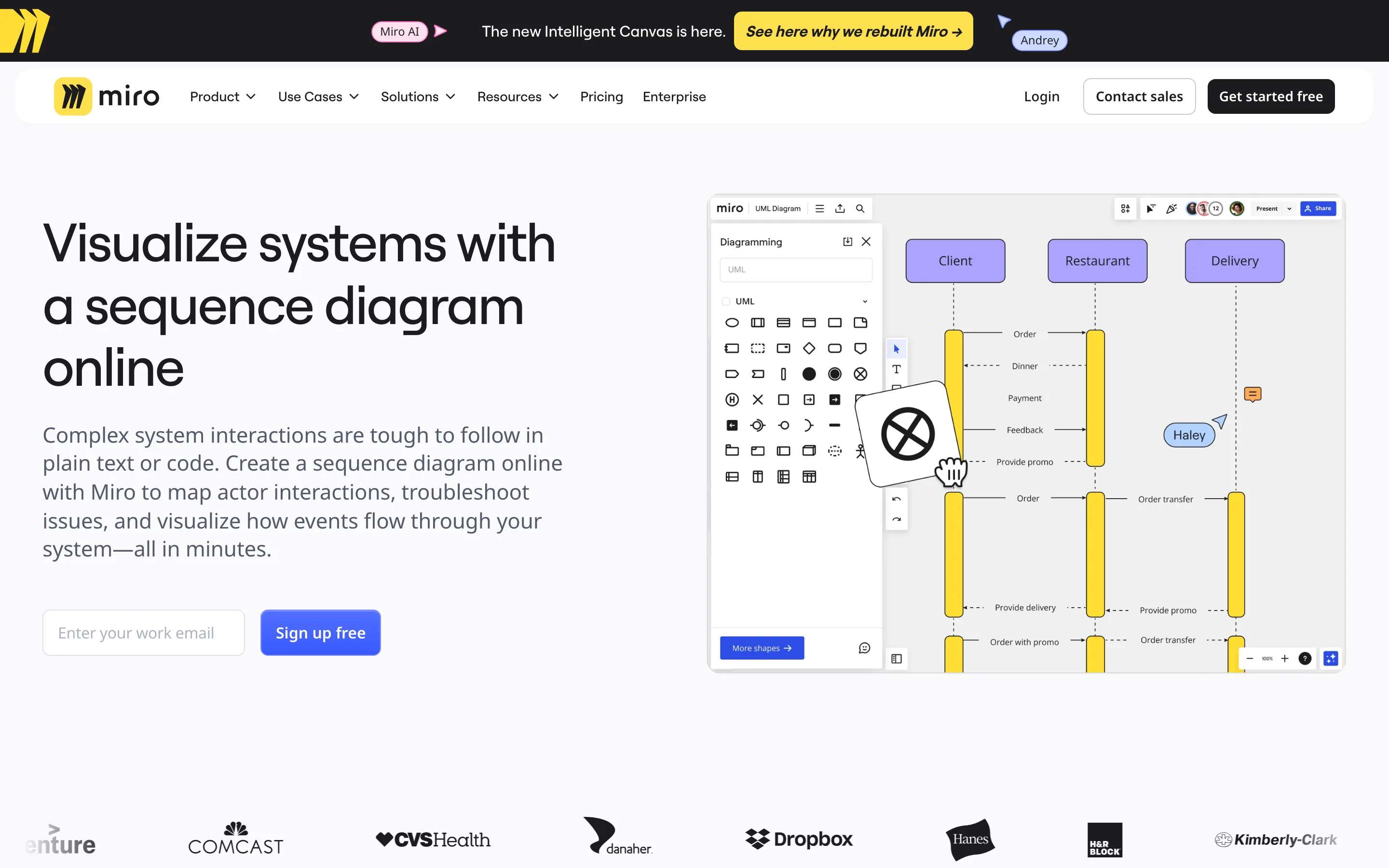
The tool page, Visualize systems with a sequence diagram online, skips the theory. Its hero is an email field and a "Sign up free" button next to a board with a sequence diagram already drawn on it. The first subhead reads "Create an online sequence diagram in seconds".
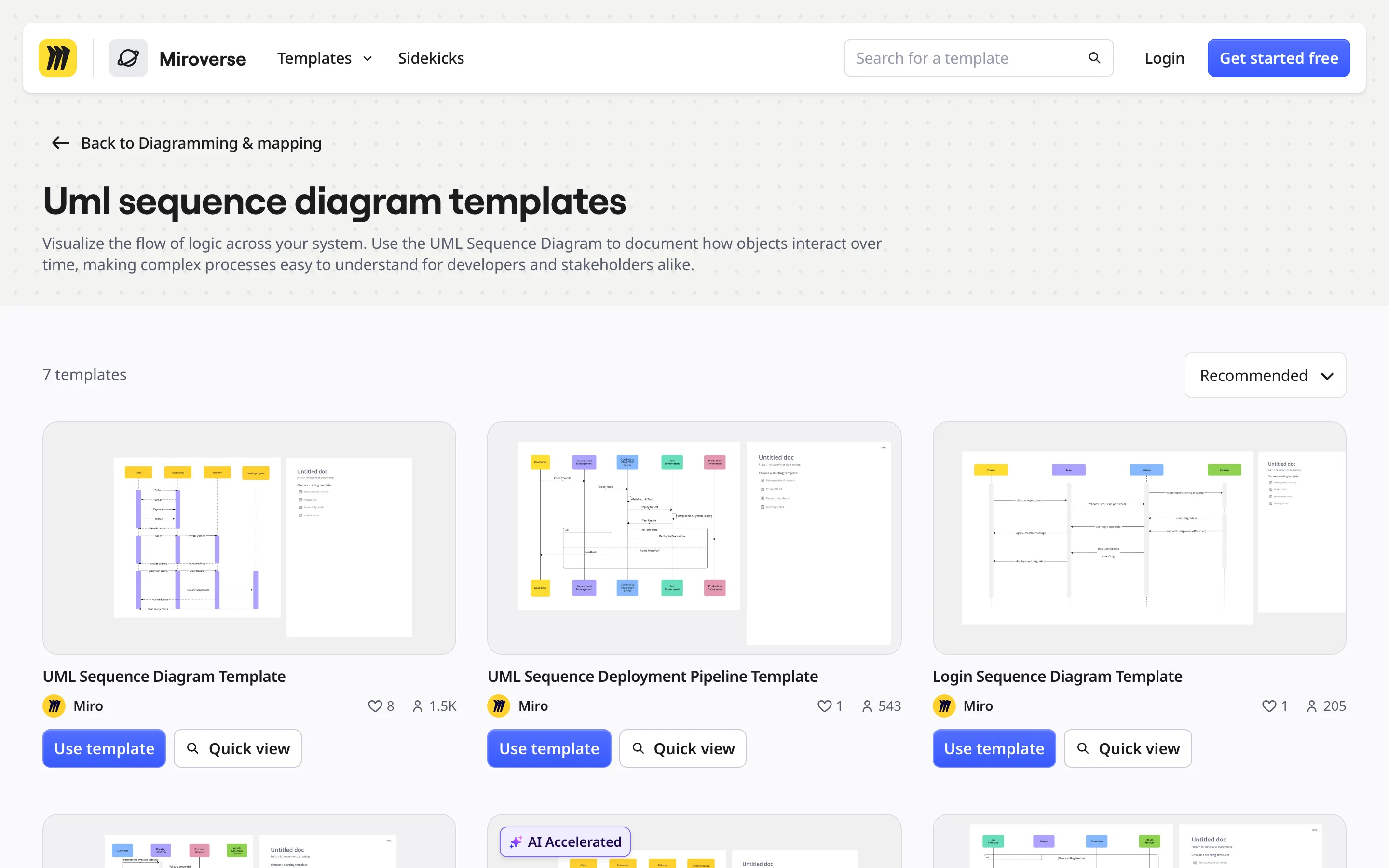
The template gallery, Uml sequence diagram templates, sits in a different folder. It lists 7 templates, each with a "Use template" button and a count of people who used it. The basic template shows 1.5K.
How the three pages link to each other
The links show which page Miro treats as the start. Here's what each page links to in its main content:
- The guide links to the tool page ("Creating a UML sequence diagram"), to the gallery ("sequence diagram template"), to the signup page ("Sign up for free") and to five sibling UML guides.
- The tool page links to the gallery and to the general UML guide. It has no link to the sequence diagram guide.
- The gallery links to its own templates and to other template categories. Nothing in it points back to the guide or the tool page.
So the paths run one way. The guide is the only page that opens all three doors: draw now, start from a template, or create an account. The tool page sends readers sideways to templates. The gallery is the end of the road, and it should be. Once someone wants a template, the one useful next step is "Use template".
We like this design. Each page asks for the action its reader came ready to take, and the reader who arrives earliest in their thinking gets the most choices.
Why folder-based tracking misses this cluster
Grouping URLs by folder works when a cluster lives in one folder. Miro's sequence diagram cluster spans two. The guide and the tool page sit under /diagramming/, the gallery under /templates/. Miro's English sitemap lists 198 URLs under /diagramming/, 60 of them "what-is" guides, and 1,223 under /templates/.
A filter on /diagramming/ credits the cluster with the guide and the tool page and drops the gallery, the page one click away from a board. A filter on /templates/ lumps the gallery in with 1,222 other template URLs on unrelated topics. Neither report tells you what the sequence diagram topic earns.
The fix is a mapping table: one row per URL, with two columns you add yourself, topic and intent.
How to track topic cluster signups by intent
This is the setup we'd use for a cluster built like Miro's.
- Map every URL to a topic and an intent. Three intents cover most clusters: learn (guides), do (tool or feature pages) and start from (templates, examples, calculators). Keep the map in a sheet or a lookup table outside the URL structure, so it survives the next redesign.
- Track rankings per topic, split by intent. Each intent has its own queries: "what is a sequence diagram" for the guide, "sequence diagram online" for the tool page, "sequence diagram template" for the gallery. Our guide to setting up rank tracking for a topic cluster covers the keyword grouping. Add intent as a second tag.
- Attribute signups to the landing page, then roll up. Record the first page of every session that ends in a signup, join it to your map, and report signups per topic and per intent. A guide with few direct signups that sends many readers on to the tool page is doing its job, so count those assisted paths too.
- Check that every learn page links forward. Miro's tool page has no link back to its guide, which suits a reader who came to draw. A guide with no link to a tool or template page is the gap to fix first.
What to copy, and what to watch
Copy the split. One page per intent can rank for its own queries and ask for one action. A single page that tries to teach, sell and hand over a template has to compromise on all three.
Watch the seams. Three pages on one topic can compete for the same query when their copy drifts together. Check each query group for a single ranking URL. If the guide starts ranking for "sequence diagram template", the pages are blurring, and our walkthrough on finding keyword cannibalization in Search Console shows how to catch it.
If you want help mapping your clusters by intent and tying each one to signups, that's the kind of work we do.


