How Gong's B2B pricing page qualifies expensive clicks
Gong's pricing page shows no prices. It asks team size first, then routes the lead. Here is what to copy when every click you buy costs money.

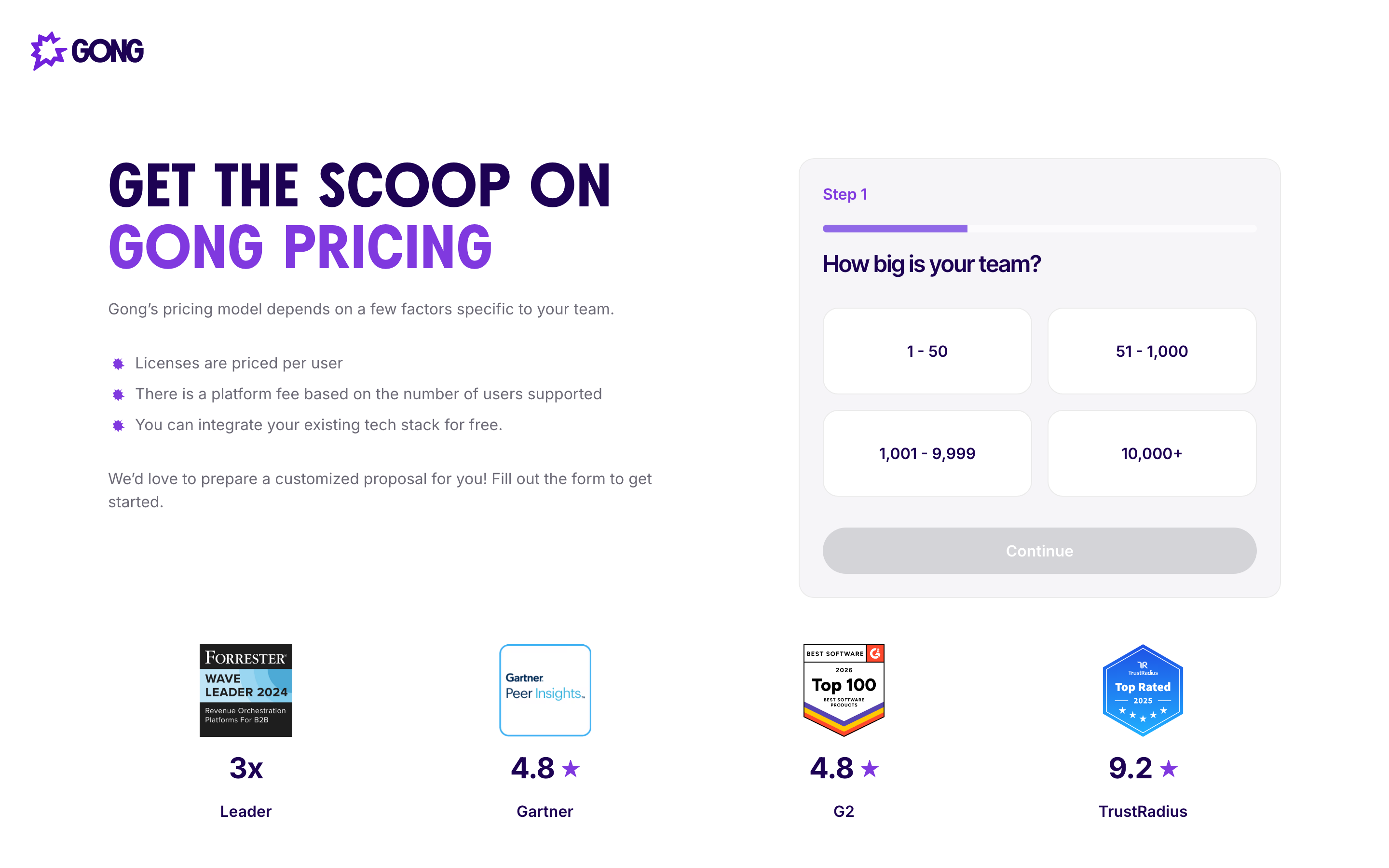
Gong's pricing page shows no prices. It opens with one question, "How big is your team?", and four buttons: 1-50, 51-1,000, 1,001-9,999, and 10,000+. The Continue button stays grey until you pick one. For anyone buying clicks in B2B software, that first step is the most interesting thing on the page.
A visitor who lands on a B2B pricing page sits closer to a decision than anyone else on the site, and in this category the click that brought them there is expensive. Gong spends that visit sorting the visitor by company size before asking for a name. Here is what the page does, and where the trade sits.
What the B2B pricing page gives up, and what it keeps
The left column names the pricing model in three bullets: licenses are priced per user, there is a platform fee based on the number of users supported, and you can integrate your existing tech stack for free. No number, but the shape of the bill is there. A buyer learns the cost scales with headcount, that something sits underneath the seat count, and that integrations will not appear as a surprise line later. Then the form: step 1 of a progress bar, one question, four size buckets, and a line of copy promising a customized proposal.
The exchange is honest. You give up your segment, you get a proposal instead of a list price. What Gong gives up is every buyer who came for a number, found a form, and left. That is a real cost, and the rest of the page is built to make it worth paying.
The demo page asks for one field
The demo page runs a different play. One input, Work Email, a pink "Book your demo" button, and a consent checkbox. No company size, no phone number, no "what is your biggest challenge". Under the form sits a logo row: Dropbox, ADP, LinkedIn, Kelly, Nasdaq, Upwork, Canva, above the line "Trusted by 5,000+ customers".
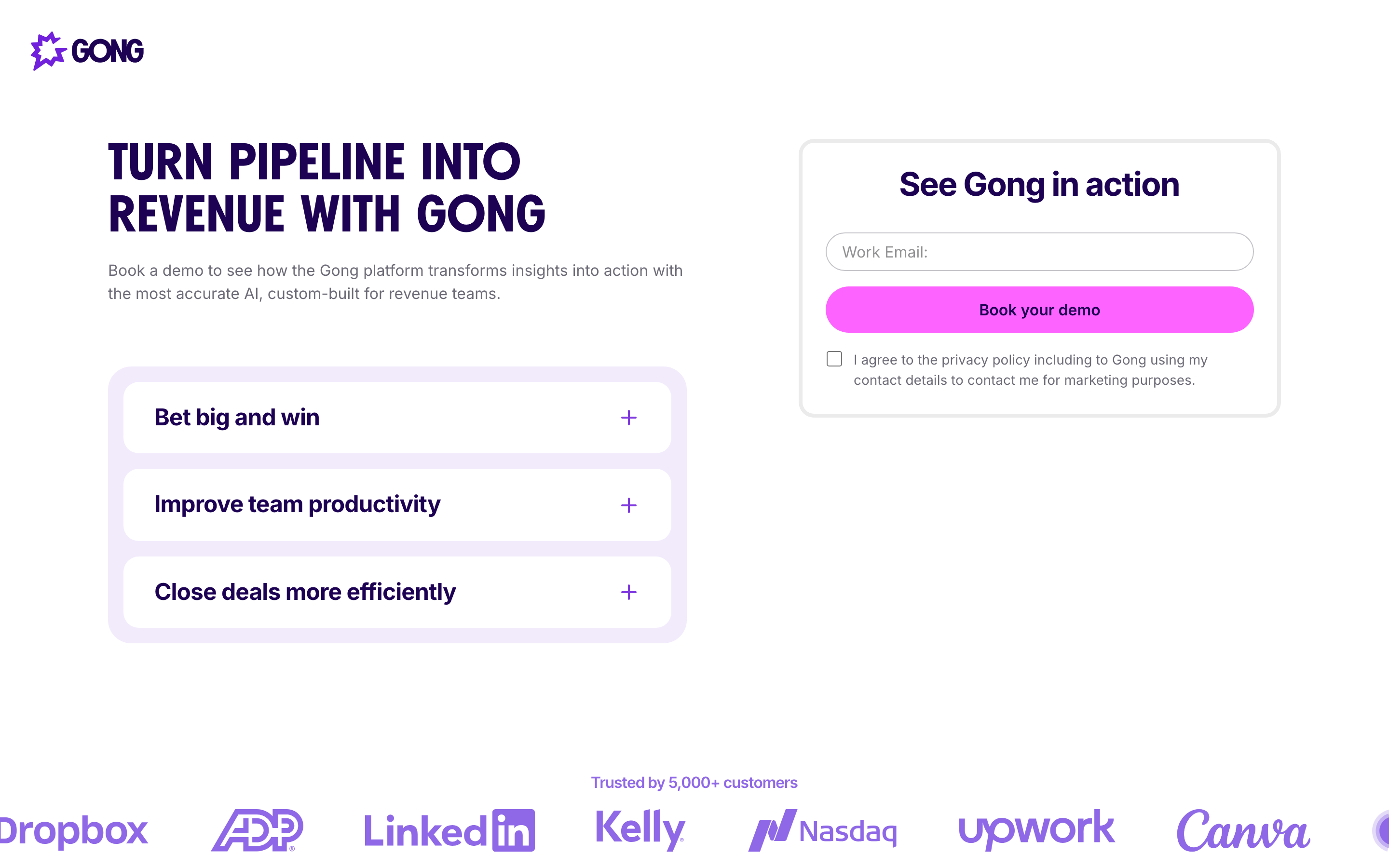
Two pages, two asks, each one calibrated to what the visitor came for. Someone clicking "book a demo" has already decided to talk, so every extra field costs conversions and buys data the call would have produced anyway. Someone clicking Pricing came for a number, so the page trades that number for the one answer that changes how the lead gets routed. Team size decides whether a rep calls tomorrow or a nurture sequence takes over.
Proof sits where the doubt is
Under the pricing form, four badges: Forrester Wave leader three times over, Gartner 4.8, G2 4.8, TrustRadius 9.2. Those are Gong's own claims on its own page, and the placement is the decision worth stealing. The badges answer the hesitation in the second before someone commits an email address, which is the only second that matters. The same logos in a footer strip do nothing, because a reader who scrolled that far already made the call.
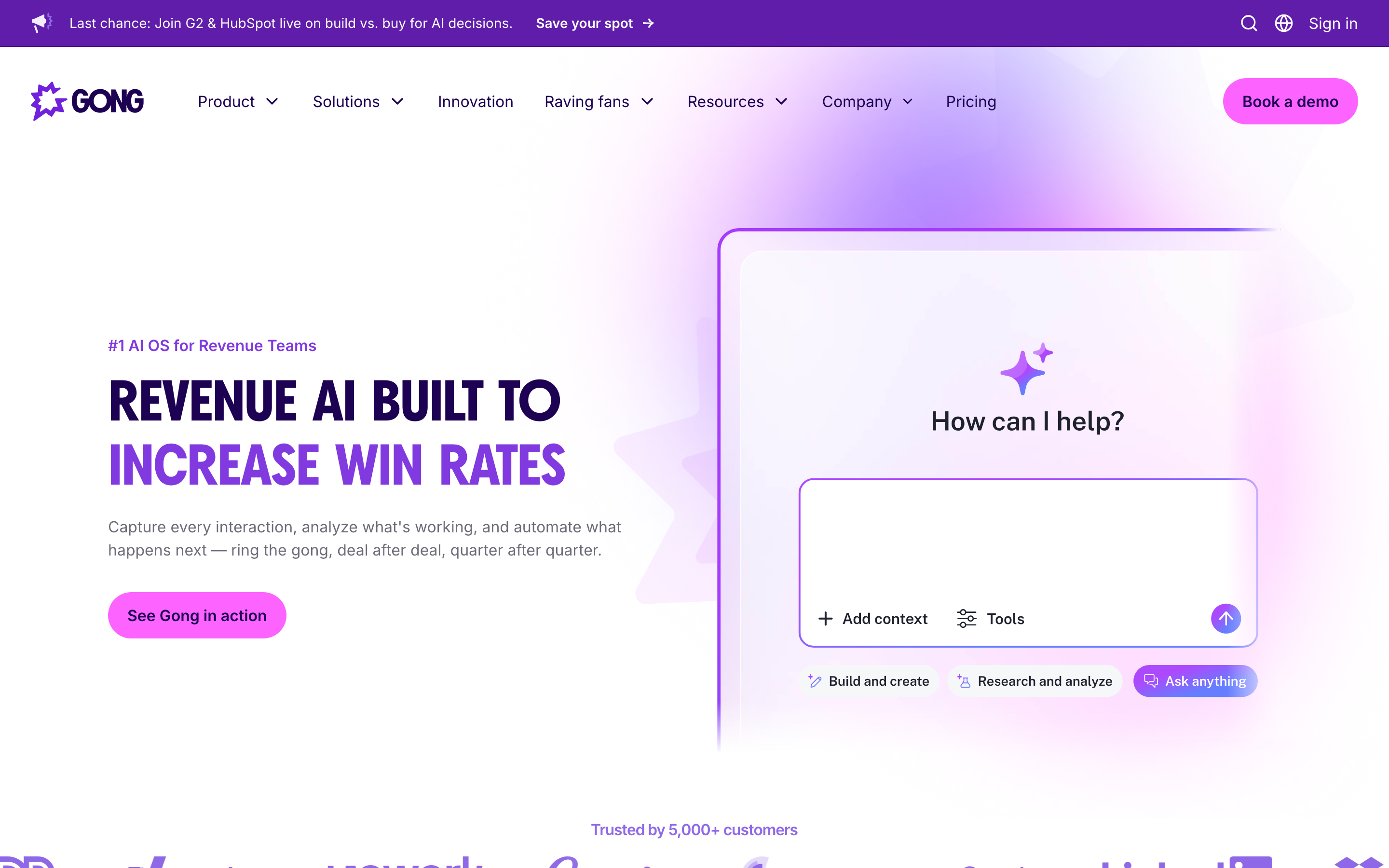
The nav does its part too. Pricing sits as a top-level item next to Product and Solutions, and "Book a demo" holds the top right corner on every page. Paid clicks, organic clicks and a G2 listing all funnel into the same two forms.
Why Gong can afford to hide the number
Gong sells to revenue teams at enterprise scale. It raised $250 million in June 2021 at a $7.25 billion valuation, and its own pages count 5,000+ customers. At those deal sizes a proposal per account pays for itself, and losing the self-serve shopper costs less than publishing a price that scares off a 900-seat buyer before a rep can frame it.
Flip the economics and the same page becomes a leak. On a $600-a-year product, the shopper who wanted a number is the whole business, and a form in place of a price sends them to a competitor who published one. PostHog runs the opposite play for exactly that reason: real numbers on the page, no sales call needed to reach them.
What to copy when your clicks cost money
- Say what the price depends on, even when you cannot publish it. Per user, per seat plus a platform fee, per volume. Three bullets remove most of the anxiety the missing number creates.
- Ask the segmenting question before the personal one. Company size, use case, or role first. It reads as sorting rather than harvesting, and it gives you routing data even from people who abandon at step two.
- Match the ask to the intent of the page. Demo pages get one field. Pricing pages can earn two or three, because the visitor knows what they are trading for.
- Put your proof next to the button. Ratings, logos and awards belong inside the visual frame of the form.
- Report conversion by segment. A 3% form rate hides a 9% enterprise rate and a 1% SMB rate, and those two numbers ask for opposite changes. Set your target CPA per segment and the budget starts following the segment that closes.
The whole teardown fits in one line: Gong treats a pricing visit as a qualification step and pays for it with the self-serve buyers who leave. That works because of who Gong sells to. Copy the structure, then check the trade against your own contract value.
If you want help turning your pricing and demo pages into something that earns the clicks you are paying for, that is the work we do.


